How to Turn Your Phone into a Budget Travel Super-Tool
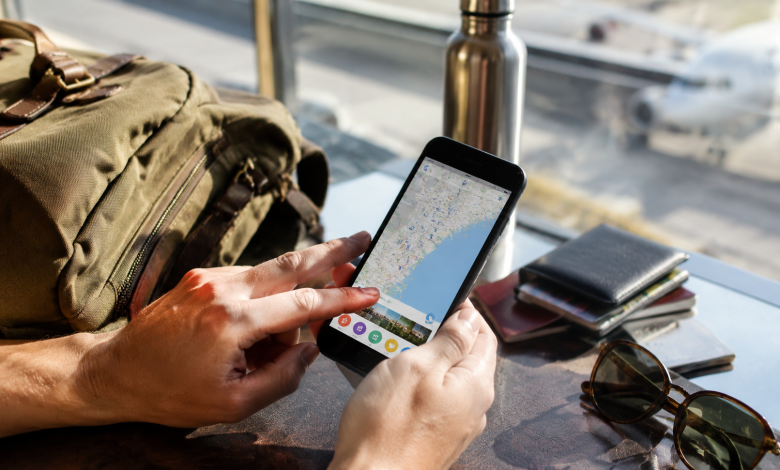
There’s a particular kind of traveler who shows up at the airport with a carry-on, a worn-out paperback, and a phone that somehow handles everything. No printed itineraries. No currency converter wallet card. No laminated phrase sheet. Just a phone and the knowledge of how to use it. That traveler is not special. They’ve just figured out something most people haven’t: your phone, used intentionally, is the most powerful budget travel tool ever built. The problem isn’t hardware. The problem is that most people use maybe 15 percent of what their device can actually do.
This isn’t a listicle of apps. It’s a real conversation about strategy.
The Money Problem, Solved Before You Board
Budget travel lives and dies on one thing: the spread between what you pay and what things actually cost. Nowhere is that gap wider or more avoidable than in currency exchange and banking fees.
Walk into an airport currency kiosk and you’re handing someone a quiet8to 12 percent cut of your money. Most people accept this because it feels like the only option. It isn’t. Apps like Wise (formerly TransferWise) and Revolut let you hold, convert, and spend multiple currencies at interbank rates the actual rate, not the tourist rate. Link one of these to a physical card and your phone becomes a live exchange desk in your pocket.
But here’s the part people skip: before you leave, spend20 minutes inside these apps actually setting them up. Top them up with your home currency. Enable spending notifications. Turn on the freeze function so you can lock the card instantly from your phone if it goes missing. This is not paranoia. Losing a card in a foreign country without remote-freeze capability is a lesson nobody wants to pay for.
Google Pay and Apple Pay also deserve a second look. In cities across Europe, Southeast Asia, and Latin America, contactless payment is faster and more widely accepted than many travelers expect. It also sidesteps the awkward fumble with foreign coins at a bakery in Lisbon or a market stall in Chiang Mai.
Accommodation: Where Your Phone’s Negotiating Power Is Underrated
Most travelers book accommodation from home, on their laptop, weeks out. That’s fine. But the real savings are often available in-app, on the ground, the night before.
Apps like Hostelworld, Booking.com, and even Airbnb regularly show last-minute discounts that don’t appear in advance searches. A hostel with two empty beds the night before checkout is motivated to fill them. Pull up the app when you’re already in a city and you’ll sometimes find rates20 to 40 percent lower than what someone booked two weeks earlier paid for the exact same bed.
There’s also a behavioral trick hiding inside Google Maps that experienced travelers use constantly: the “nearby” search. Not just for restaurants for accommodation. Search “guesthouses near [neighborhood],” read a handful of reviews, and walk in with the app open. Proprietors in many parts of the world, particularly in Southeast Asia and Central America, will negotiate face-to-face with someone who clearly did their homework. Showing up with a phone showing three competitive listings nearby isn’t rude. It’s just honest.
Transportation: Real Costs Versus Tourist Prices
The gap between what locals pay for transport and what tourists pay is one of the great quiet scandals of budget travel. Your phone closes that gap significantly.
Ride-hailing apps are the obvious starting point Grab in Southeast Asia, inDrive across Africa and Latin America, Bolt across much of Europe. But the less obvious move is learning local transit apps before arrival. Rome2rio is useful for mapping multi-modal routes across countries. Moovit handles local transit in hundreds of cities, often including bus schedules that Google Maps misses. In Japan, Hyperdia will route you through train connections that would take a tourist45 minutes and a paper map to decipher.
The habit to build: download offline maps in Google Maps or Maps.me before your data plan has a chance to surprise you. Mobile data roaming charges have a way of arriving on your bill as a small act of financial violence. In most countries, a local SIM from a convenience store costs a few dollars and removes the problem entirely. Airalo, aneSIM marketplace, lets you purchase and activate local data plans from your phone before you even land. It’s one of the more quietly transformative things to happen to budget travel in the past five years.
Eating Well Without Bleeding Money
Food is where budget travel gets emotional. Nobody wants to spend two weeks eating convenience store sandwiches to stay within budget. The good news is that your phone, used right, almost guarantees you won’t have to.
The real tool here isn’t a food app. It’s Google Maps with a very specific filter: sort reviews by “Most Recent,” not “Most Relevant.” Most Relevant shows you what’s optimized for tourism traffic. Most Recent shows you what locals actually went back to last week. The place with200 reviews averaging 4.2 stars, last reviewed by someone who mentioned paying 4 euros for a full plate that’s where you’re eating.
Yelp still has pockets of genuine usefulness in North American cities. HappyCow is indispensable if you’re vegetarian or vegan and traveling anywhere outside of major Western cities. But the meta-skill is learning to cross-reference. One app lying to you about a restaurant is easy. Three apps independently corroborating the same small lunch spot run by a family since 1987 is a different signal entirely.
The Documents Question Nobody Talks About Enough
Here is something that almost never gets covered in budget travel content: your phone should be a complete, organized archive of every document that matters when something goes wrong.
Passport photo page. Travel insurance policy and specifically the emergency claim number, which you will not have time to search for at2 a.m. in a foreign clinic. Hotel confirmation numbers. The contact number for your bank’s international department, not the general1-800 number that doesn’t work from abroad. Screenshots of your visa, your booking, your return flight.
Google Drive, iCloud, Dropbox pick one and make a folder called Travel Docs. Not as a backup. As the actual system. Printed copies are useful. Digital copies that exist in two places across cloud and phone storage are better.
There’s also a quieter version of this: language. Google Translate’s camera mode, which lets you point your phone at a sign, a menu, or a prescription label and see a live translation overlaid on the image, is one of those features that sounds gimmicky until you’re standing in a pharmacy in rural Portugal trying to communicate a mild allergic reaction. At that moment, it earns every bit of space on your phone.
Mindset Matters More Than Apps
The travelers who extract the most from their phones aren’t the ones who have downloaded the most apps. They’re the ones who’ve thought through their own failure points. What happens if my phone dies? What happens if it gets stolen? What happens if I lose data connectivity in a country where my SIM doesn’t work?
A cheap power bank bought before the trip, not at the airport solves the first problem. A second authentication method for your banking apps, stored separately from your phone, handles the second. Offline downloads of maps, translation packs, and critical documents address the third.
Your phone is not a magic travel device. It’s a leverage multiplier. It takes whatever intentionality you bring and amplifies it. Bring clarity about what you need cheap transport, honest food, real exchange rates, preserved documents and your phone will quietly deliver all of it. Bring vague habits and half-configured apps and it’ll mostly serve you advertisements and anxiety.
The gap between a stressful expensive trip and a smooth affordable one is not as wide as it looks from home. Often it’s 90 minutes of pre-trip setup and the willingness to learn three apps well instead of downloading twenty halfway.