
How to Seamlessly Sync Your Whole-Home Climate with Alexa and Google
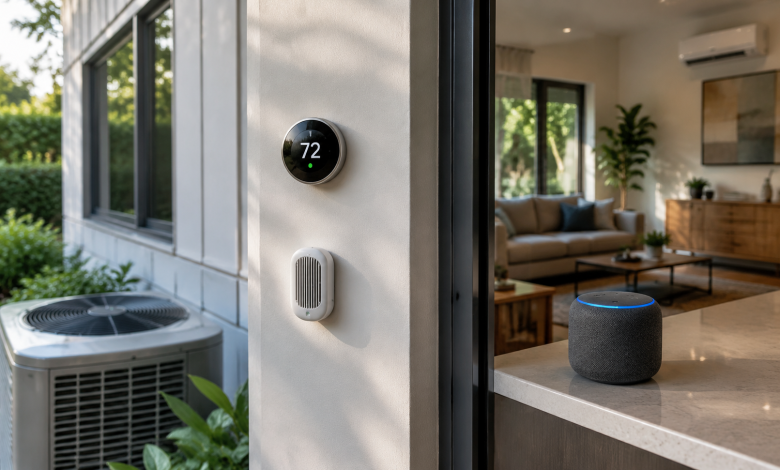
There’s a particular kind of frustration that comes with a smart home that isn’t quite smart enough. You’ve got the thermostat, the smart vents, maybe even a whole-home air purifier all connected to different apps, all requiring separate attention. You walk in from a90-degree afternoon and ask Alexa to cool things down, and instead of a seamless response, you get silence, or worse, a cheerful “I don’t support that device.” The promise of a unified climate experience has always been right there on the product packaging. Actually getting there is a different story.
This guide is about closing that gap not by oversimplifying the process, but by walking through how whole-home climate sync actually works with Alexa and Google Home, what the real friction points are, and how to build a setup that holds together over time.
Understanding What “Sync” Actually Means
Before diving into steps and settings, it helps to understand what you’re actually trying to accomplish. “Syncing your climate” sounds unified, but in practice it involves several distinct layers working together: your HVAC system or thermostat hardware, the smart home platform (Alexa or Google), any supplementary devices like fans, humidifiers, or air quality sensors, and the automations that tie them together.
Most people assume syncing means plugging in one app and hitting a button. What it really means is creating a coherent ecosystem where your voice assistant knows the state of your climate, can control the right devices, and can respond to conditions intelligently. That’s three different things, and each one requires its own attention.
The good news is that both Alexa and Google Home have matured significantly in their thermostat and climate integrations. The rough edges are still there particularly around multi-zone systems and third-party device compatibility but the foundation is solid.
Choosing the Right Thermostat as Your Hub
If you’re building from scratch or upgrading, your thermostat choice will shape everything downstream. Not all smart thermostats play equally well with Alexa and Google, and the differences aren’t always obvious from the marketing materials.
Ecobee is widely regarded as the most reliably cross-compatible option. It has native Alexa built in meaning the thermostat itself can respond to voice commands without a separate Echo device nearby and it integrates cleanly with Google Home as well. Its SmartSensor system also gives you per-room temperature data, which is genuinely useful when trying to manage climate across multiple spaces.
Google Nest thermostats are the obvious choice if Google Home is your primary ecosystem. The integration is tight, the data is rich, and the learning algorithms are among the best in the category. The caveat is that Alexa integration, while functional, has historically been more limited. Basic control works, but some of the deeper features like adjusting eco temperatures or accessing energy history by voice aren’t always accessible through Alexa.
Honeywell Home and Carrier thermostats are common in homes with existing HVAC infrastructure, and they integrate with both platforms through their respective skills and cloud connections. They work, but setup is occasionally finicky, and firmware updates have been known to break integrations temporarily.
The underlying principle: pick the thermostat that natively supports your preferred voice platform, then layer the secondary platform on top. Don’t expect both to be perfectly equal.
Setting Up the Integration Step by Step
Once you’ve got your thermostat installed and connected to its native app, the actual linking process is straightforward but sequence matters.
Start with the thermostat’s own app. Make sure the device is fully set up, the firmware is current, and it’s responding correctly to the manufacturer’s app before you introduce any third-party platform. Troubleshooting is significantly harder when you can’t isolate whether the problem is in the hardware, the native app, or the voice platform.
For Alexa, open the Alexa app and navigate to the Skills & Games section. Search for your thermostat brand Ecobee, Nest, Honeywell, Emerson, and most major brands have official skills. Enable the skill and sign in with your thermostat account credentials. Alexa will then discover your devices. Once discovered, go to the Devices tab, find your thermostat, and assign it to the correct room. This room assignment matters more than people realize it’s what allows you to say “Alexa, set the living room to 72” and have it work correctly.
For Google Home, the path is similar but runs through the Google Home app. Tap the plus icon, select Set up device, then Works with Google. Search for your thermostat brand, link the account, and let Google run device discovery. Google’s room-assignment system is equally important here, and it has an additional layer of nuance: Google Home uses “homes” and “rooms” hierarchically, so making sure your thermostat is in the right room within the right home will affect how routines and voice commands resolve.
One thing worth doing immediately after setup: test with specific commands rather than generic ones. “Hey Google, what’s the temperature in the bedroom?” is more diagnostic than “Hey Google, show me my thermostat.” Specific commands reveal whether room assignments, sensor names, and device linking are working correctly.
Building Automations That Actually Make Sense
The real value of a synced climate system isn’t voice control it’s automation. Voice control is convenient; automation is transformative. This is where most guides stop short, but it’s worth going deeper.
Both Alexa Routines and Google Home Automations let you trigger climate actions based on time, presence, sensor readings, or other smart home events. The question isn’t whether to automate it’s how to automate intelligently.
A common mistake is building too many single-purpose automations. Someone sets up one routine for “arriving home,” another for “leaving home,” a third for “bedtime,” and a fourth for “morning.” Each one works in isolation, but they start conflicting especially if you have multiple people in the household with different schedules. Alexa, in particular, can only detect one person’s presence at a time unless you’ve set up household profiles carefully.
A better approach is to think in terms of modes or states rather than triggers. Define what “occupied” and “unoccupied” mean for your home, then build automations around those states. If your household uses Google Home, the “home and away” features on Nest thermostats do a lot of this automatically through geofencing. With Alexa, you can approximate this with a combination of presence routines and Alexa Guard.
Air quality and humidity are often the forgotten dimension of whole-home climate. If you have a smart air purifier, a dehumidifier, or an air quality monitor, bringing those into your automations creates a more genuinely responsive system. An Alexa routine that turns on the air purifier when your sensor reports PM2.5 above a threshold isn’t just clever it’s the kind of functionality that makes the whole ecosystem feel like it was designed with intention.
Managing Multi-Zone and Multi-Device Complexity
Larger homes or homes with zone-controlled HVAC introduce a layer of complexity that voice assistants handle with varying degrees of grace. Multi-zone systems typically have a main thermostat controller and zone dampers, sometimes with individual zone sensors. Getting all of this represented accurately in Alexa or Google Home requires careful naming and room assignment.
The key is consistency between your HVAC system’s zone names, the names in your thermostat app, and the room names in your voice platform. If your HVAC system calls something “Zone 2” but your Google Home calls it “Upstairs Office,” expect confusion. Standardize names early and change them in every system simultaneously.
Smart vents like those from Flair or Keen add another variable. They’re genuinely useful for fine-tuning airflow, but their integrations with Alexa and Google Home are more limited than full thermostats. Most operate through their own apps with partial voice assistant support. If deep voice and automation control of individual vents is important to you, Flair’s integration is the more developed of the two options and supports both platforms reasonably well.
Window AC units and portable units deserve a separate note. If they’re smart units with WiFi particularly those from LG, Midea, or GE they can often be integrated via their brand’s Alexa skill or Google Home action. The experience isn’t as seamless as a proper HVAC thermostat, but “Hey Alexa, turn on the bedroom AC and set it to 68” is entirely achievable with the right setup.
When Things Break (And They Will)
Any climate setup that relies on cloud-based integrations will occasionally stop working. A firmware update disrupts a skill connection. An API change causes device discovery to fail. The thermostat’s cloud service has an outage. These aren’t hypotheticals they’re the ordinary friction of a connected home.
The practical response is to build for resilience. Keep your thermostat’s native app functional and easy to access it should always be your fallback. Re-running device discovery in Alexa or Google Home fixes a surprising number of issues and takes about sixty seconds. If a skill-based integration keeps breaking, check whether the thermostat manufacturer offers a direct Matter or Thread integration, as these local-network protocols are significantly more stable than cloud-to-cloud connections.
Matter, in particular, is worth paying attention to. As more thermostat manufacturers add Matter support and both Alexa and Google Home have committed to full Matter compatibility the landscape for whole-home climate integration is becoming both more stable and more flexible. Devices that communicate locally rather than routing through the cloud are faster, more reliable, and less vulnerable to the API deprecations that have disrupted integrations in the past.
Getting your whole-home climate working seamlessly with both Alexa and Google isn’t a one-afternoon project at least not if you want it to hold together over time. But the investment is worth it. A home that adjusts to you, that responds to your presence and the air you’re breathing, that doesn’t require you to think about it that’s the version of the smart home that was always worth chasing.