Custom Routines Every Smart Home Newbie Needs to Set Up Right Now
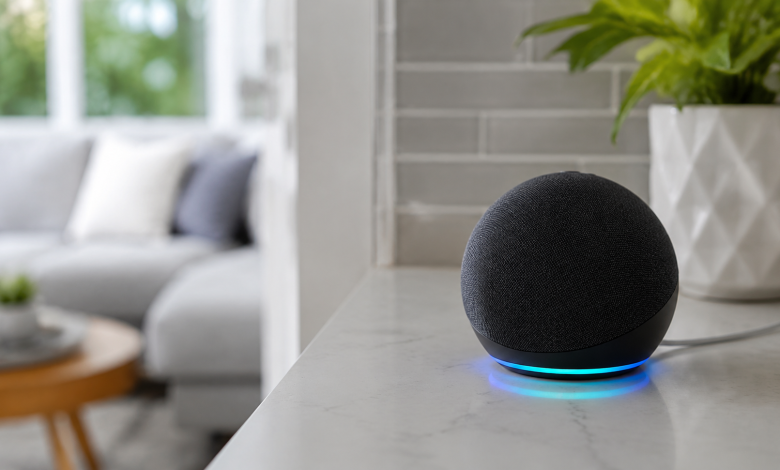
Most people buy their first smart home device expecting magic. They plug in a smart bulb or drop a voice assistant on the kitchen counter, poke around the app for twenty minutes, and then… use it exactly like a regular light switch. The device sits there, capable of a dozen things, doing one. That’s not a smart home. That’s an expensive remote control.
The real power of any smart home setup lives inside routines automated sequences that run on schedules, triggers, or conditions without you lifting a finger. But the word “routine” can feel intimidating if you’re new to this. It sounds like something that requires coding, or at least a weekend’s worth of YouTube tutorials. It doesn’t. What it does require is understanding which routines actually earn their place in your daily life, and which ones are just party tricks you’ll disable after a week.
Here’s where to start.
The Morning Routine That Makes You Feel Like You Have a Personal Assistant
Waking up is hard. The first five minutes after your alarm goes off are a negotiation between your ambitions and your mattress, and the mattress usually wins a few extra minutes. A well-built morning routine can quietly tip the scales in favor of actually starting your day.
The core idea is simple: instead of fumbling for your phone to check the weather while squinting in the dark, let your home brief you. Set a routine triggered by your alarm time or by the time itself that gradually raises your smart lights to a warm white (mimicking sunrise), starts your coffee maker if it’s connected, and has your voice assistant read out the day’s weather and your first few calendar events.
The light transition is the underrated hero here. Harsh overhead lighting at 6:30 AM is an assault. Starting dim and warm, then brightening over ten or fifteen minutes, signals your body to wake up naturally. Pair that with a gentle chime or a low-volume news briefing, and you’ve built something that costs nothing extra but genuinely changes how your mornings feel.
One thing worth noting: don’t overload this routine with information. Weather, maybe one headline, a calendar reminder. That’s it. The moment a morning routine starts reciting your full to-do list, it becomes noise you tune out by day three.
The Goodbye Routine That Ends Your “Did I Leave the Stove On?” Anxiety
This one is quietly life-changing, especially if you’re the type who gets halfway to work and suddenly can’t remember whether you turned off the iron. A departure routine solves this entirely.
Trigger it by either pressing a virtual button in your app, saying a phrase to your voice assistant, or if you have a smart lock having it fire automatically when the front door locks. What it should do: turn off all the lights, lower the thermostat to an energy-saving temperature, turn off any smart plugs connected to things like space heaters or entertainment systems, and arm your security system if you have one.
The psychological shift here is real. You leave the house and you know, with actual certainty, that everything’s handled. No mental replay of whether the living room lamp is still on. No wondering if the TV is wasting electricity in an empty room. That peace of mind is worth more than people expect when they first set it up.
Some people add a small notification to this routine a push alert that confirms “Home is secured” after everything runs. Small touch, but it closes the loop in a satisfying way.
The Evening Wind-Down That Signals Your Brain It’s Time to Rest
Sleep hygiene gets talked about endlessly, but the advice usually sticks to “put your phone down” and “keep the room cool.” What rarely gets mentioned is how much your lighting environment contributes to whether your brain actually winds down or keeps running at full speed.
Blue-toned, bright light tells your nervous system it’s daytime. It suppresses melatonin. So if you’re sitting under your regular overhead lights at 9 PM wondering why you can’t fall asleep at 11, your smart home can actually help fix that problem.
Build an evening routine that kicks in around an hour or ninety minutes before your target bedtime. Lights shift to warmer tones and lower brightness. Maybe a do-not-disturb mode activates on your connected devices. If you have a smart thermostat, it starts dropping the temperature a degree or two because your body temperature naturally decreases as you move toward sleep, and a slightly cooler room supports that process rather than fighting it.
The best version of this routine isn’t one you think about. It just happens, and you notice a few weeks in that you’ve been falling asleep faster without consciously trying to.
The “Movie Time” Scene That Handles Three Things at Once
This one feels like a luxury until you’ve used it and then never want to go back. Instead of dimming the lights, finding the remote, closing the blinds, and adjusting the speaker volume as four separate actions, you do all of it with one command or one tap.
A good entertainment scene sets the lights to a dim, bias-lit glow, lowers motorized shades or signals that you should close them manually, switches your TV input to the right source, and adjusts your smart speaker volume to a comfortable background level.
It sounds trivial. But there’s something almost theatrical about saying “movie time” and watching your living room transform in under three seconds. It also removes friction from relaxation which matters more than it seems, because friction is exactly what makes you choose to scroll your phone instead of actually watching the film you’ve been meaning to watch for a month.
A Presence Simulation Routine That Doesn’t Look Like One
If you travel or work long hours, this is worth setting up even if you never think about security otherwise. A presence simulation routine doesn’t run on a fixed schedule that’s the whole point. Fixed schedules look fake to anyone paying attention. Lights coming on at6:00 PM every single day is a flag, not a deterrent.
Instead, build a routine with some randomized variance. Most smart home platforms let you add an offset “run between 6 PM and 7:30 PM” so the behavior looks lived-in rather than programmed. Cycle a few different lights at irregular intervals. Briefly activate the TV or a radio. Maybe have the porch light behave differently on different days.
The goal isn’t to fool a determined professional. It’s to make your home look occupied to casual observation, which is where most opportunistic incidents start.
The Weekend Morning Routine That’s Deliberately Different
This might seem like a small thing, but it reveals something important about how routines should work: they should fit your life, not impose structure on it.
Your weekday alarm might be 6:15 AM. Your weekend self wants nothing to do with that. Set a completely separate Saturday and Sunday routine lights that come on later, softer, with no briefings or reminders. Maybe it plays music instead of news. Maybe it just quietly warms the room and leaves you alone.
The point is that your smart home should adapt to you rather than run on a one-size schedule that you start resenting by Saturday morning. Platforms like Amazon Alexa, Google Home, Apple HomeKit, and SmartThings all support day-specific scheduling. Use it. The fifteen minutes it takes to set up a weekend version of your morning routine pays for itself the first time you sleep in without the house acting like it’s a Monday.
One More Thing Before You Dive In
Start with two or three routines, not twelve. The temptation when you first get into smart home automation is to build everything at once a routine for every scenario, a trigger for every door, a scene for every possible mood. Most of it will go unused within a month, and the clutter in your app will make you less likely to maintain the ones that actually matter.
Pick the morning routine and the goodbye routine first. Live with them for a couple of weeks. Notice which friction points in your day still exist, and build from there. The best routines aren’t the most elaborate ones they’re the ones that disappear so completely into your life that you forget you built them at all.